Partner workflowBuildplace spatial scenarios. Pelicad visual decision-making.
Pelicad x Buildplace

Turn Buildplace scenarios into architectural visuals people can decide on

Buildplace helps you create, evaluate and communicate data-based spatial scenarios in the digital twin. Pelicad turns those scenarios into controlled architectural visuals with real context, multiple perspectives and atmosphere.

Buildplace helps you understand and evaluate spatial development potential. Pelicad helps you show what that potential could look like.
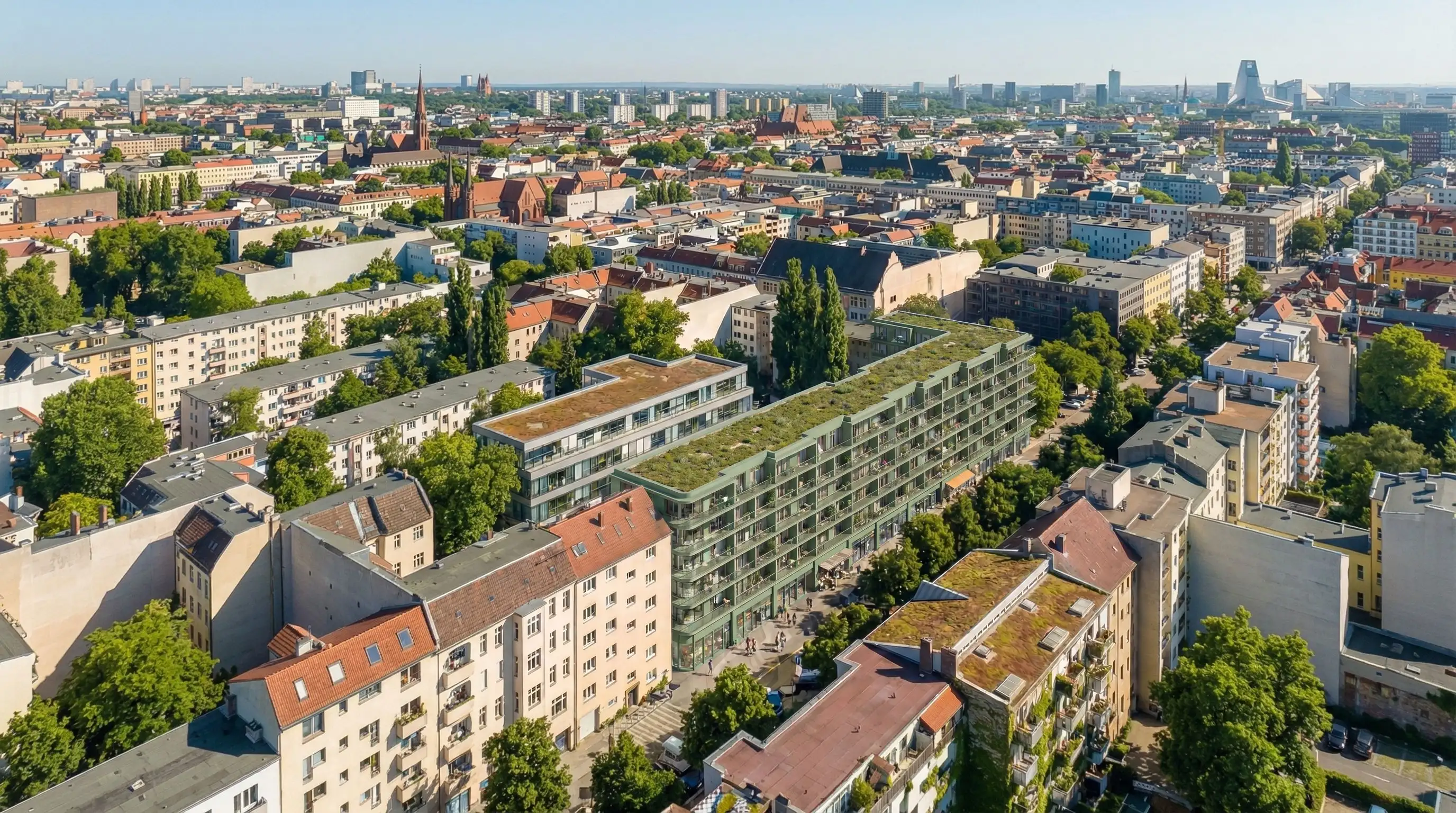
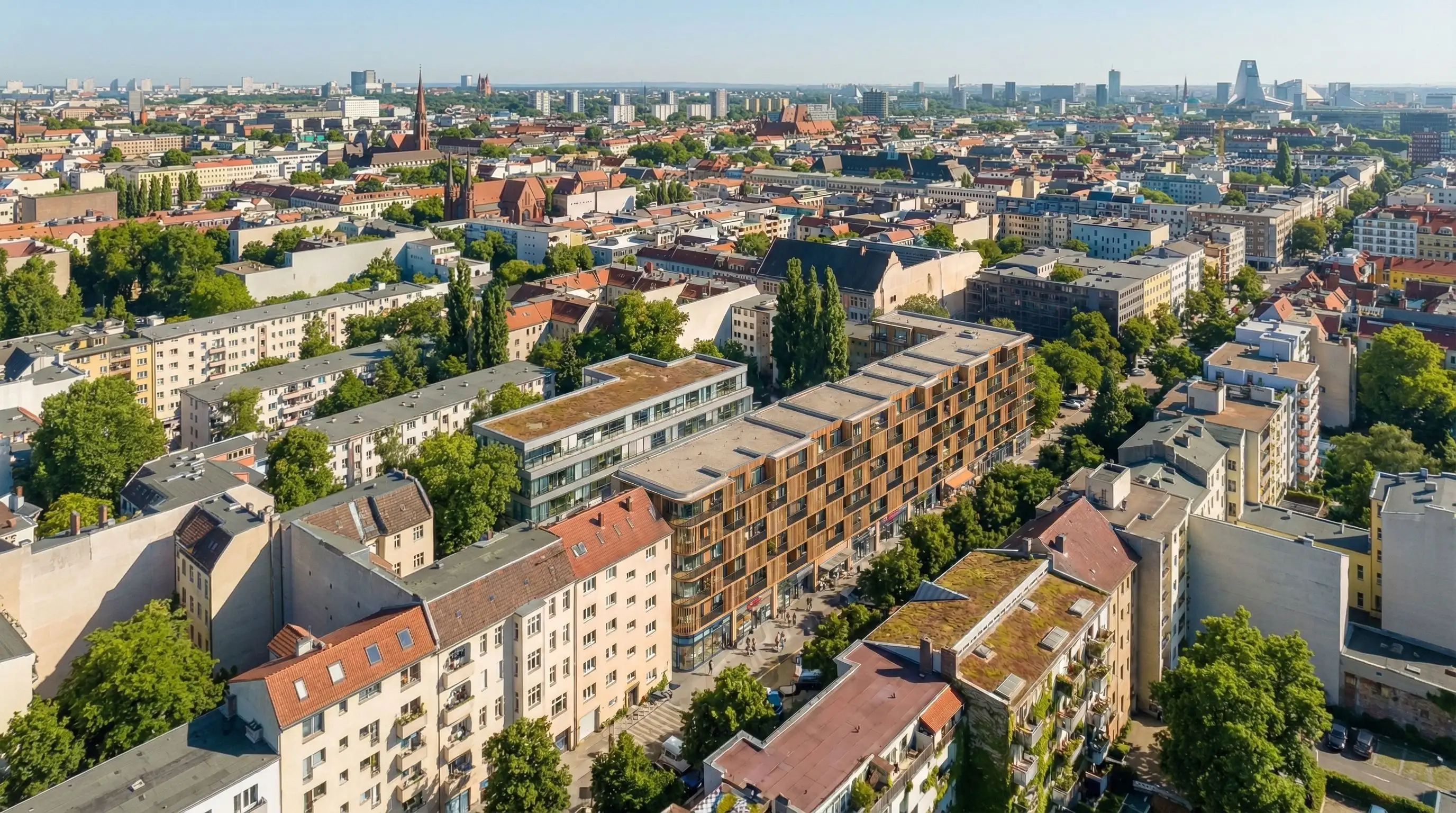
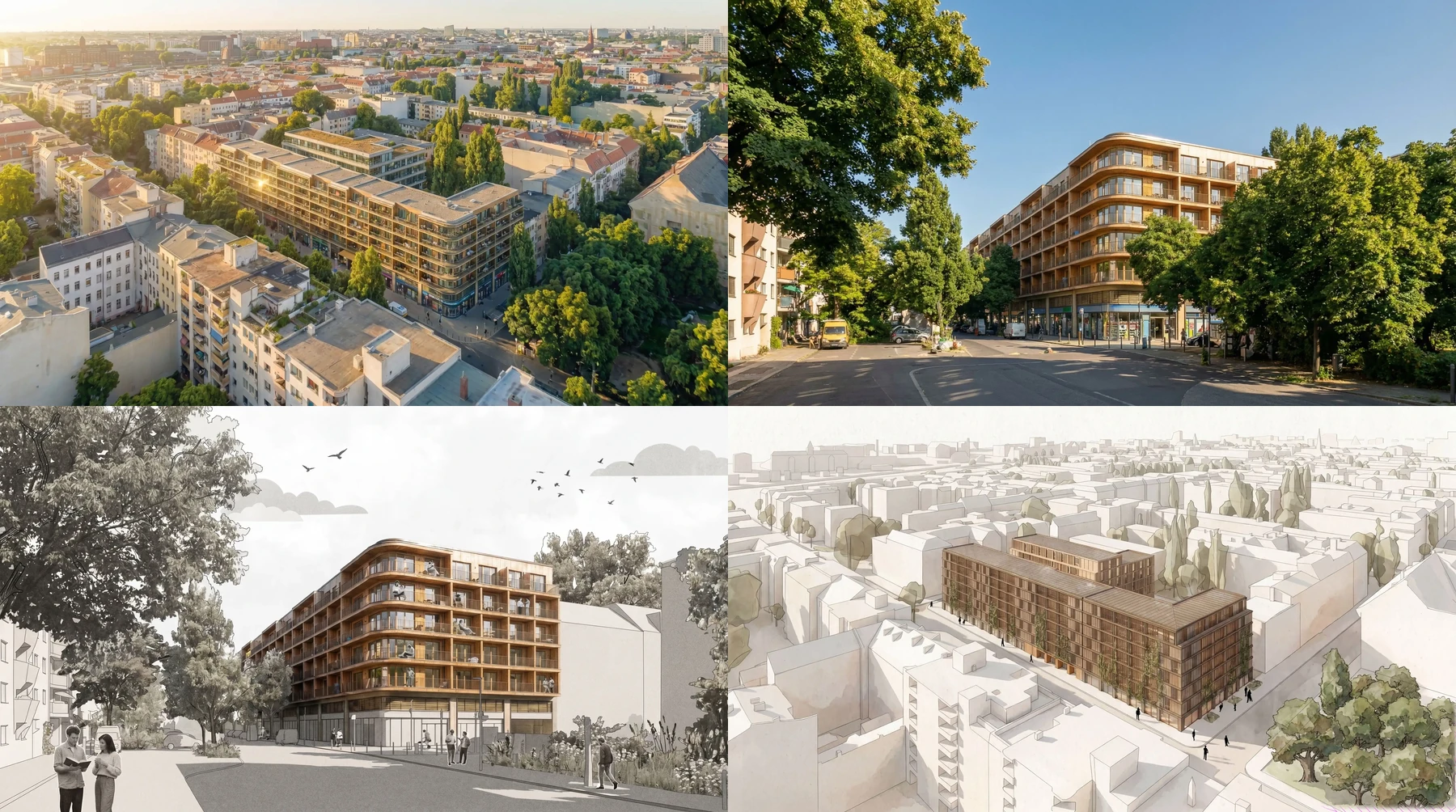
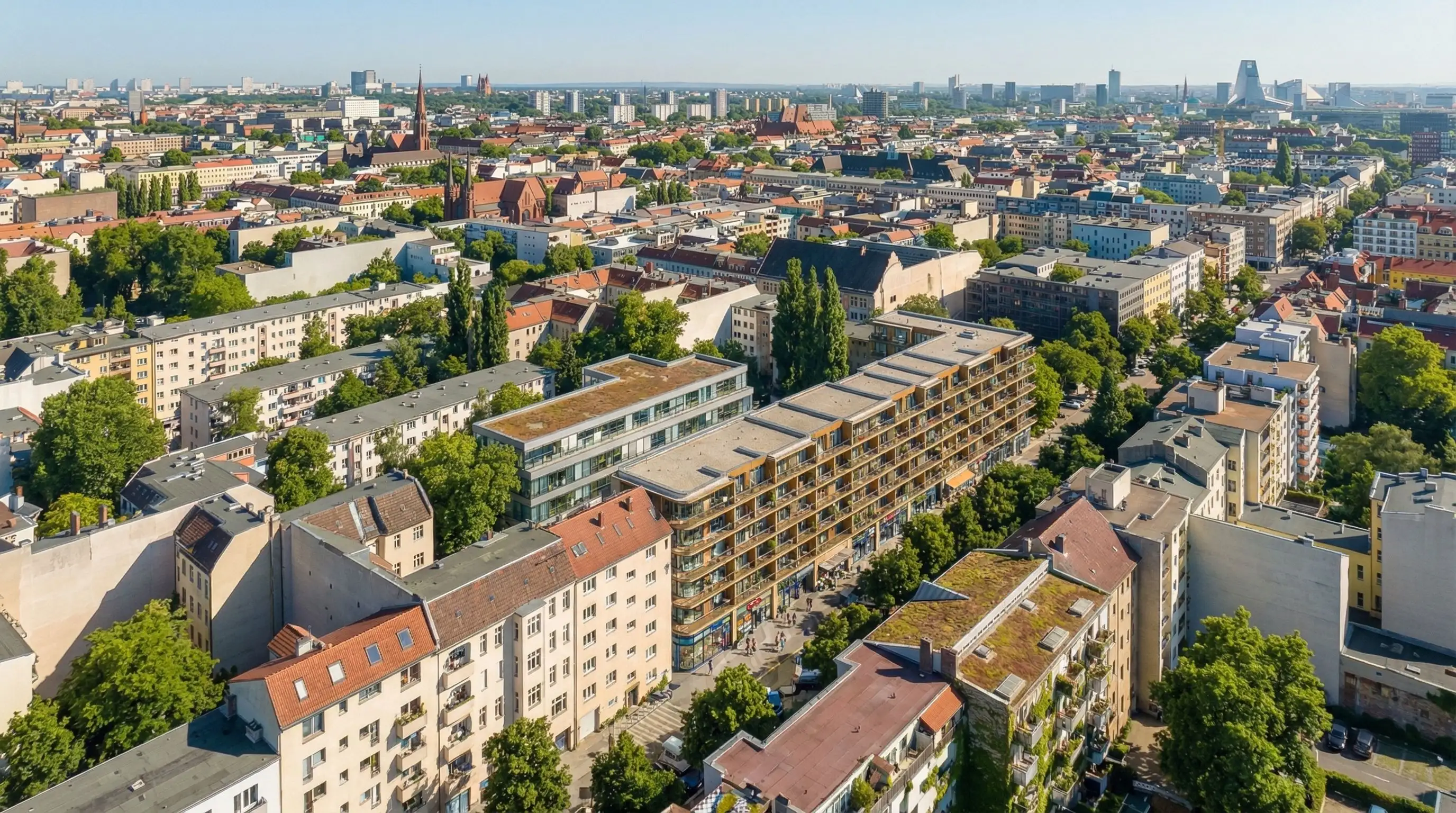
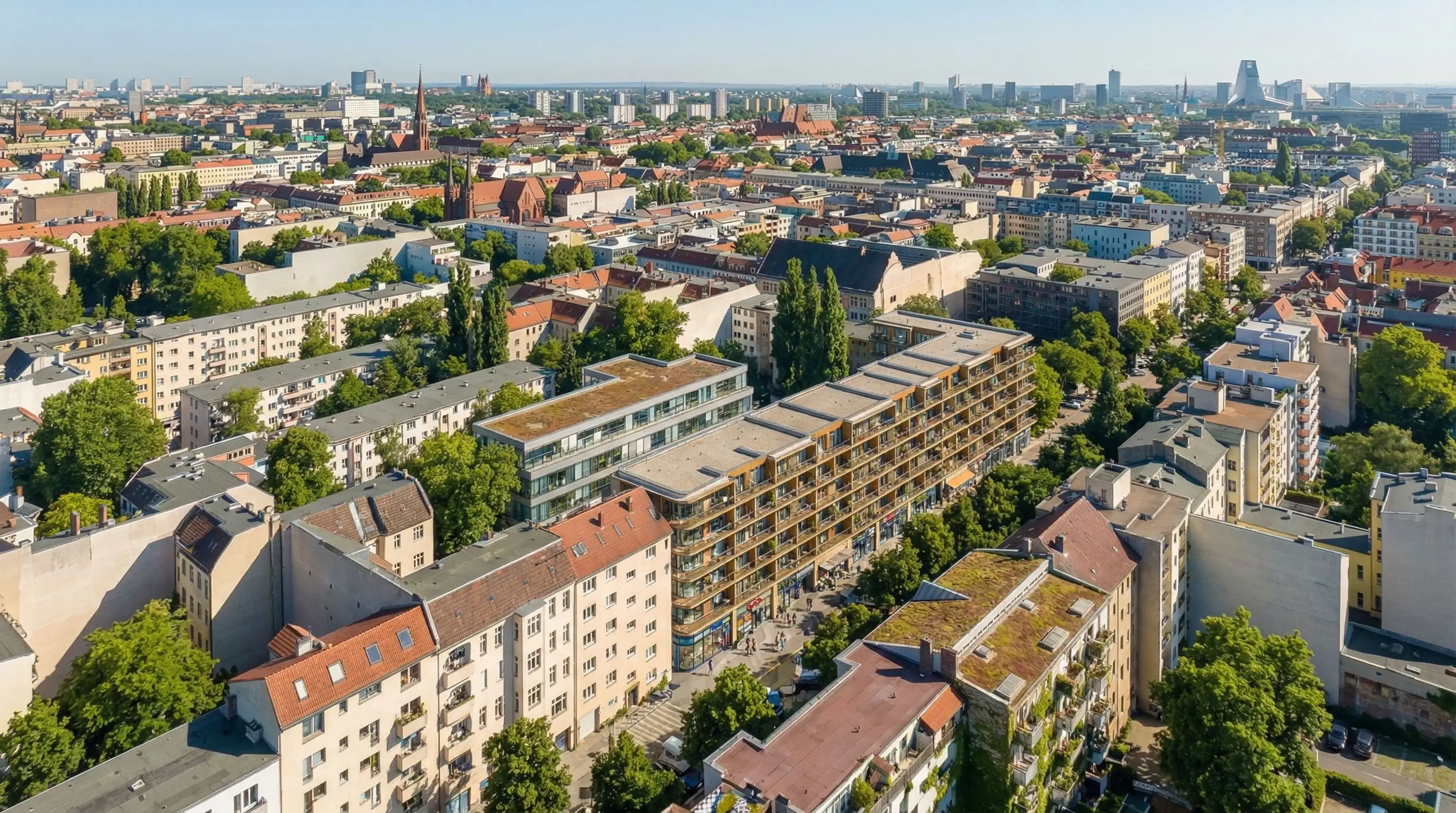
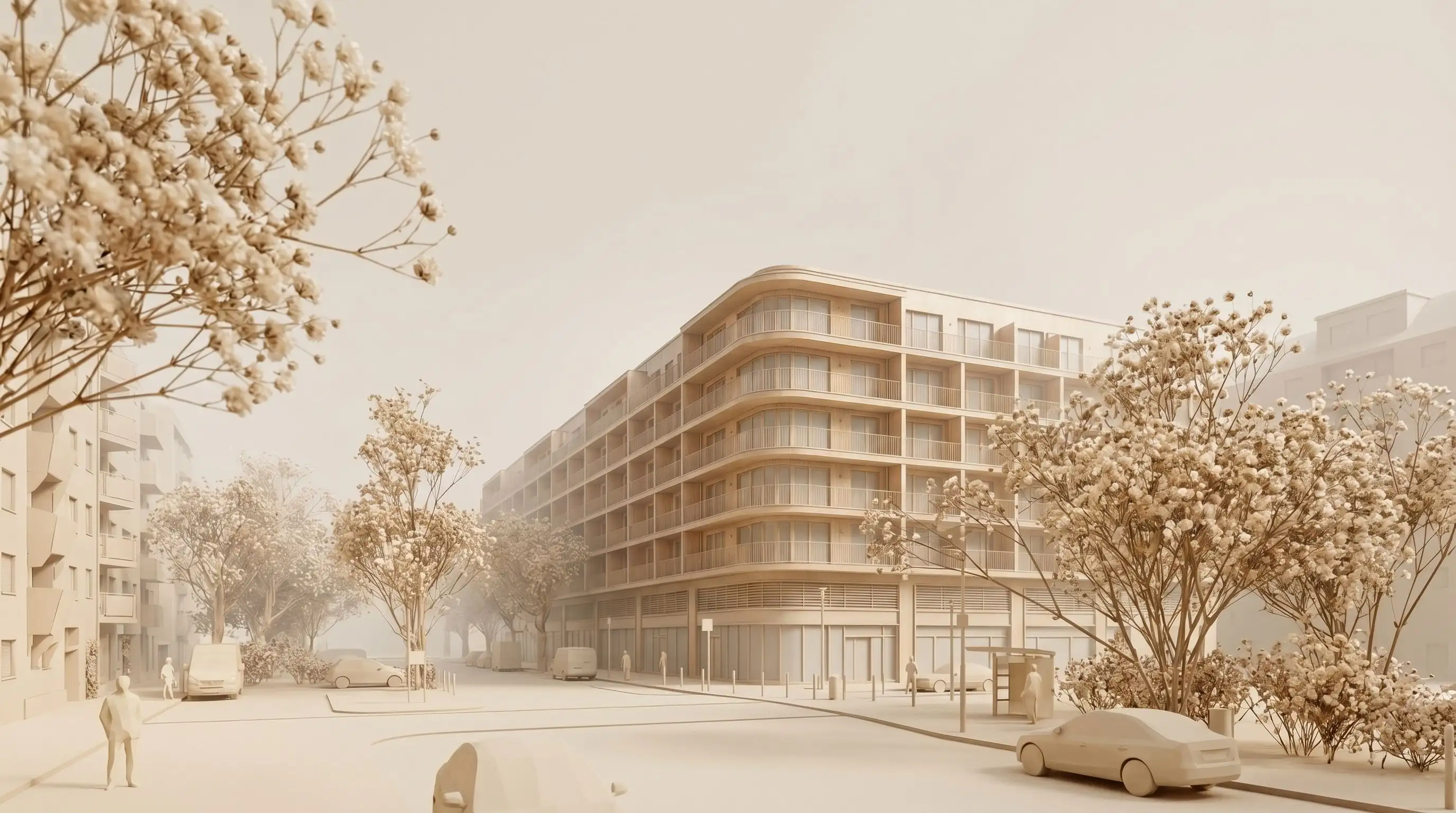
Buildplace spatial development scenario visualized in Pelicad within the real urban context.
BeforeAfter
3 weeks of work1 day of work
Manual visual preparationAutomated with control
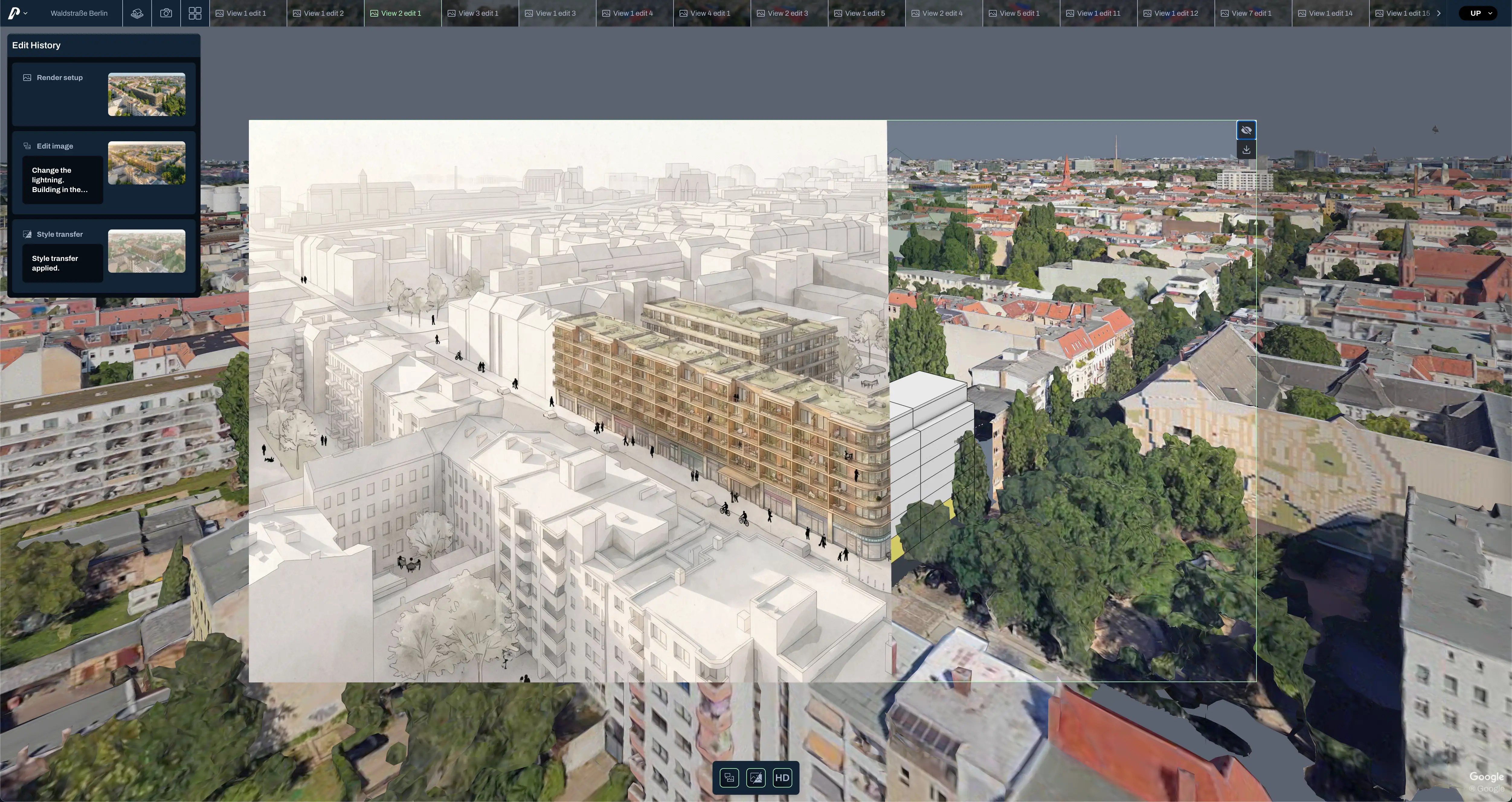
Data-based scenario without architectural atmosphereReal urban context in a textured 3D scene
Long waiting timesDirect visual results
Few presentation-ready variantsMany visual scenarios from the same planning base
Close aerial contextual visualization
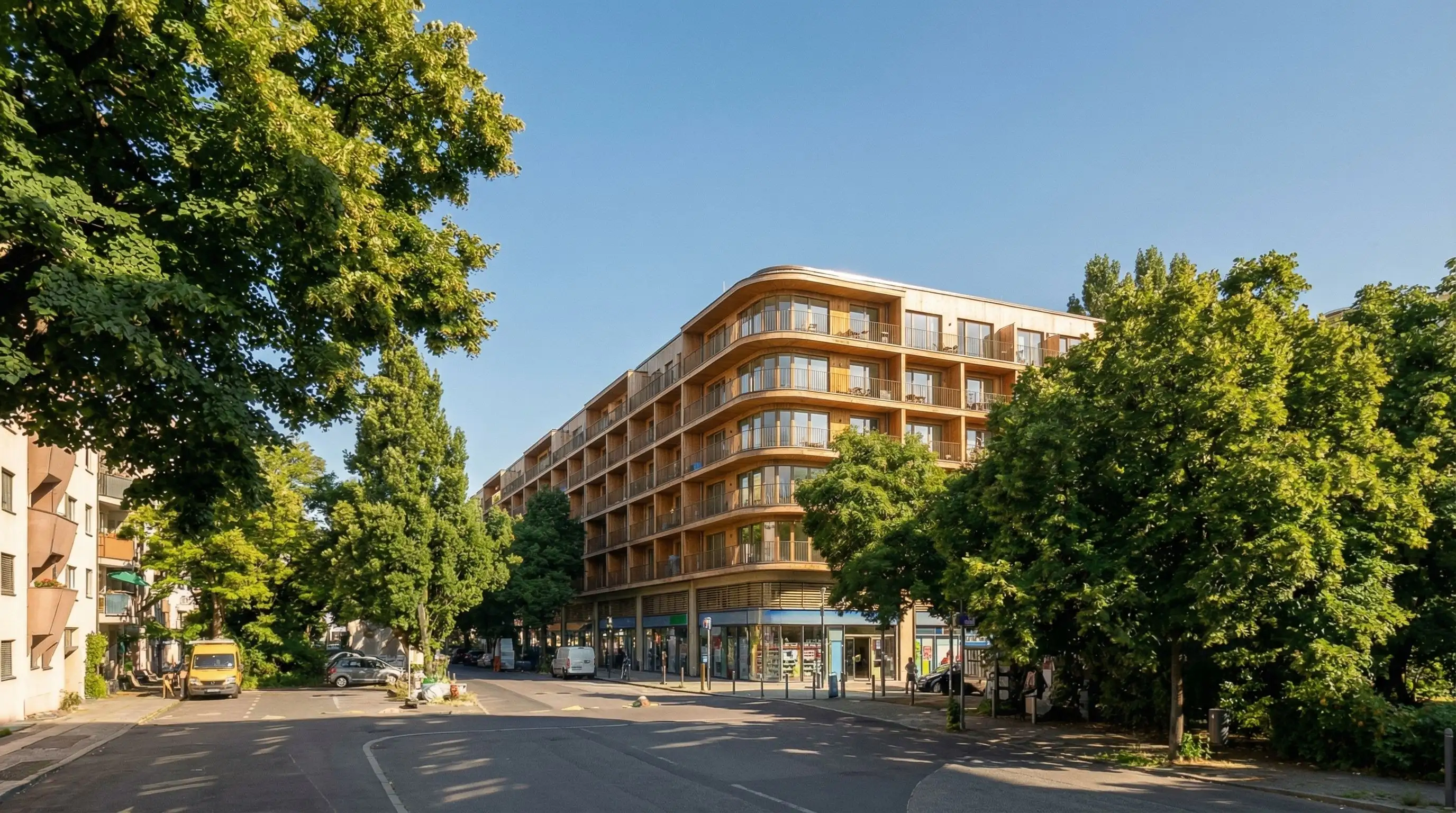
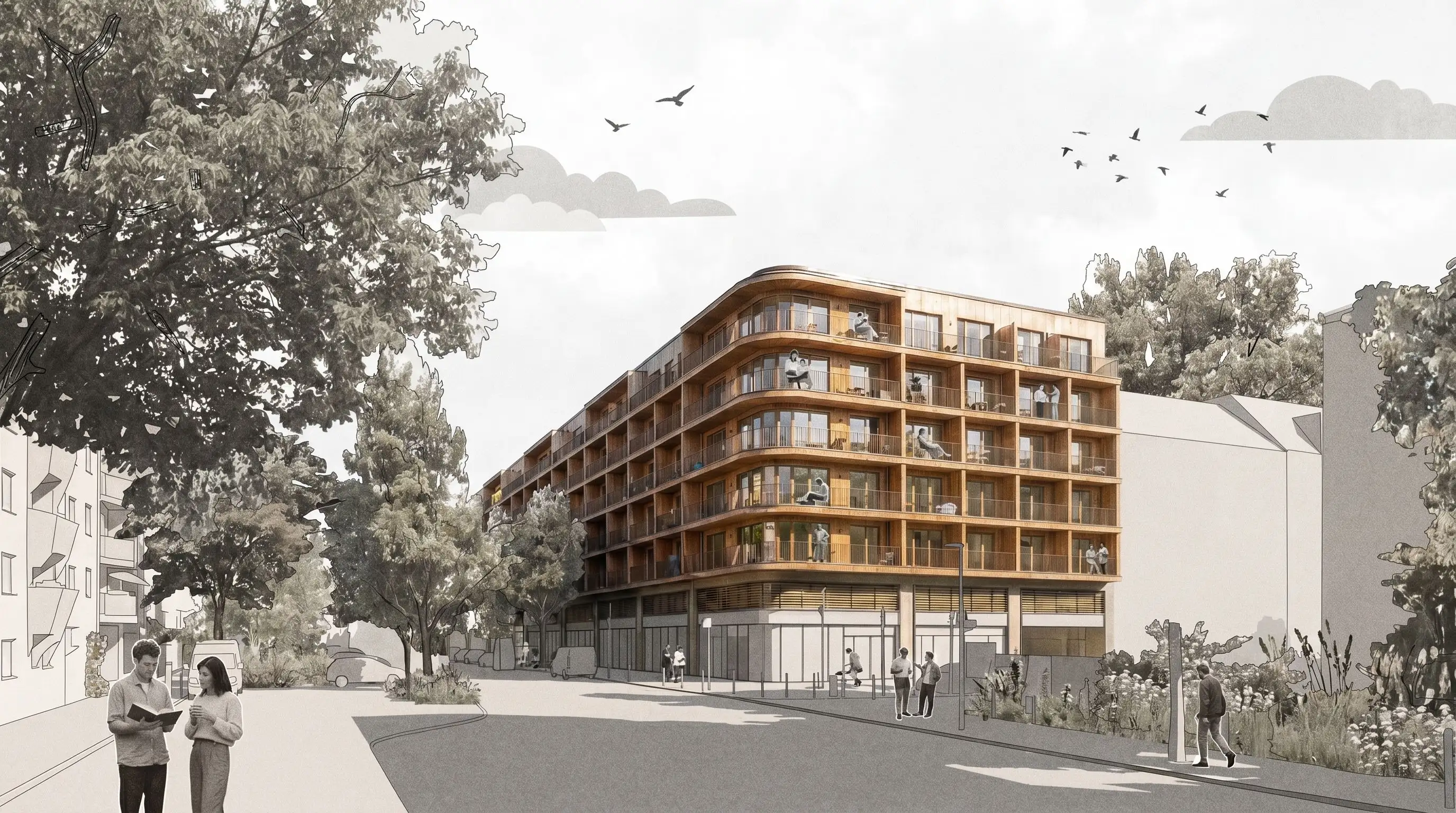
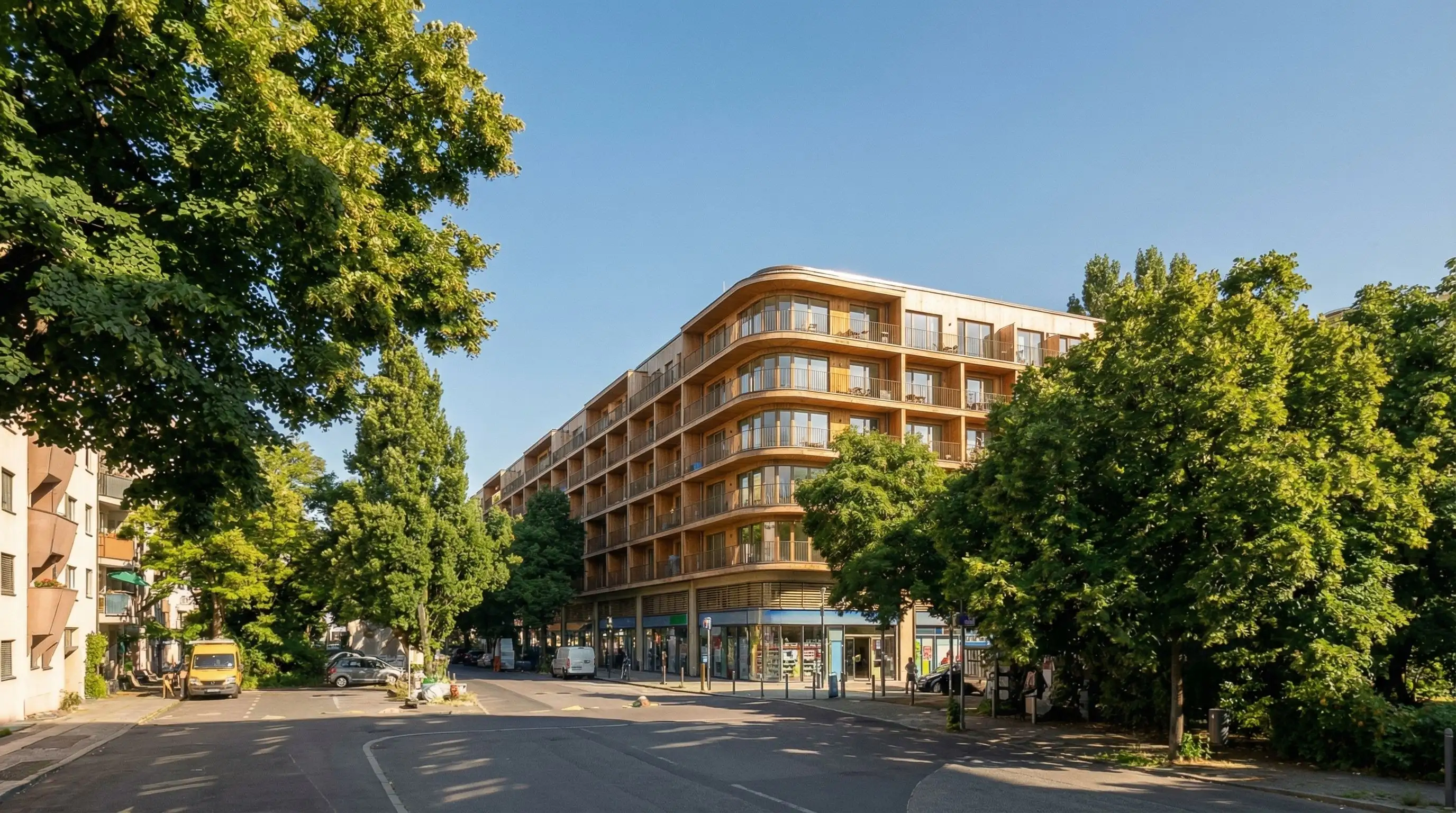
Street-level visualization
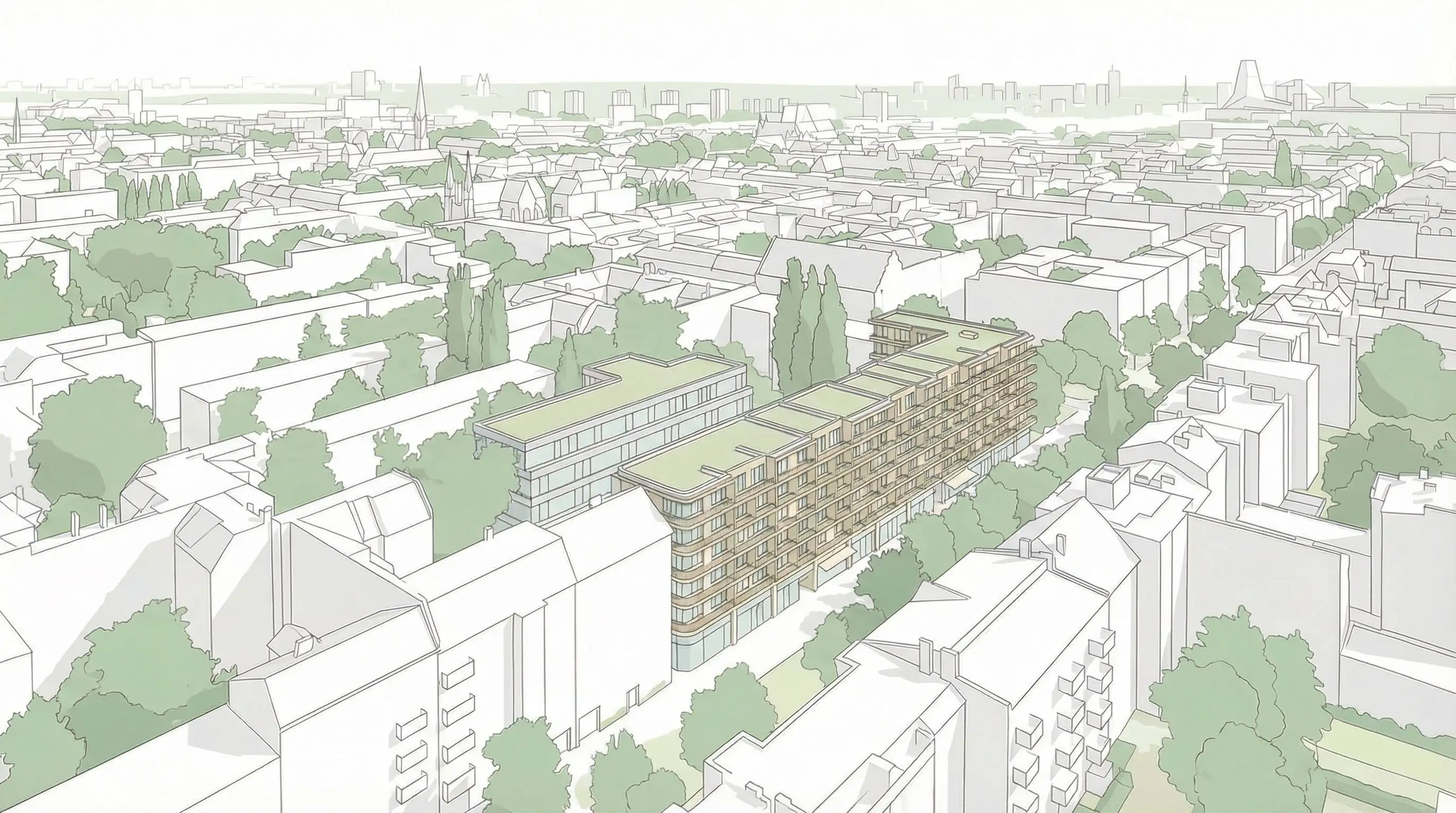
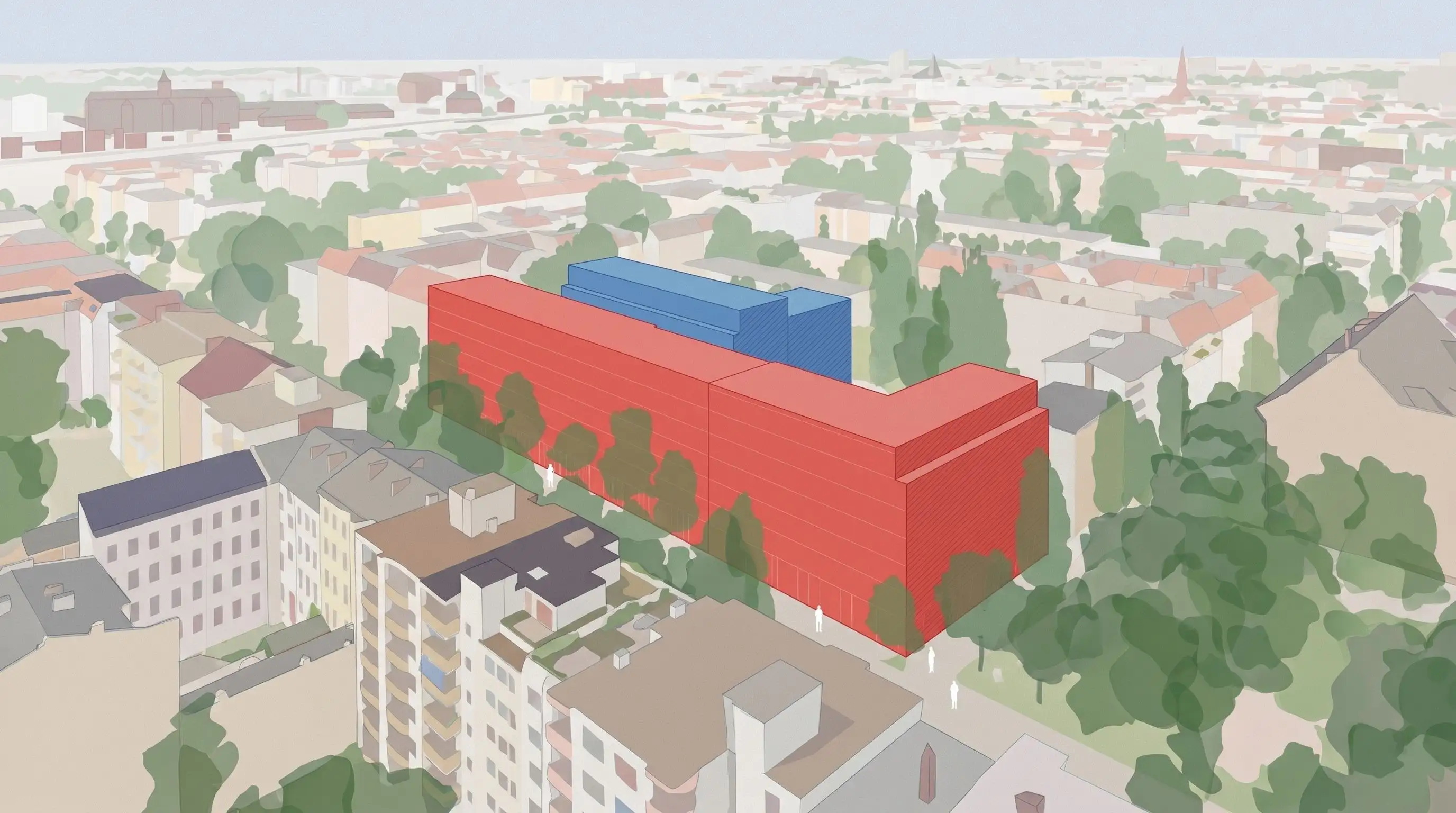
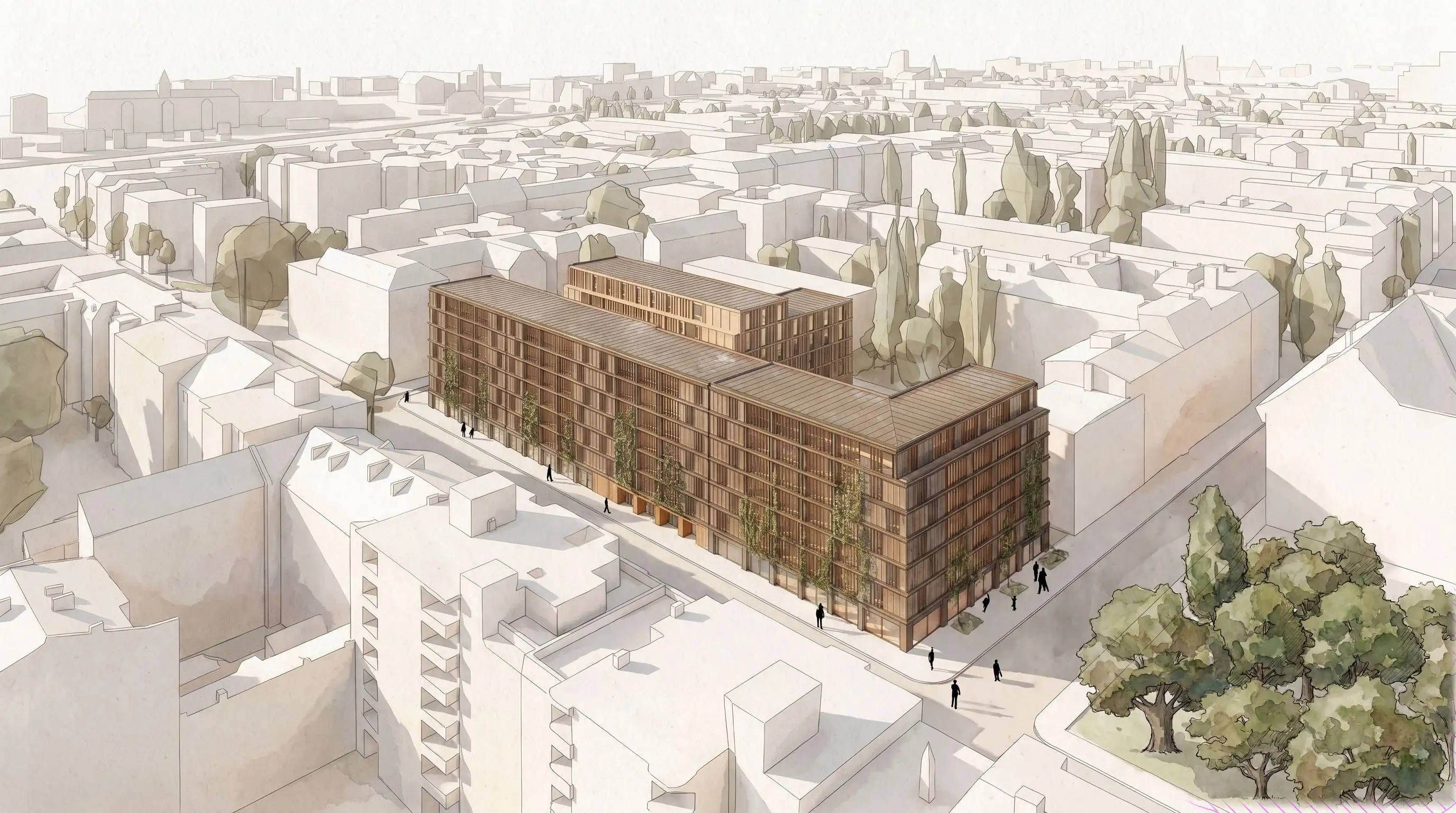
Context/planning sketch
Multiple scenario preview
Why this matters

Data-based spatial scenarios need a visual layer for decisions

Early project decisions often happen when the planning logic is already complex, but the visual story is still missing.

Buildplace helps teams evaluate development potential using geodata, planning parameters and spatial scenarios. Pelicad adds the architectural communication layer: contextual visuals that help investors, municipalities, clients and internal teams understand what a scenario could become.

The problem is not that the data is missing. The problem is that data-based scenarios often need to be translated into images before people can align around them.

That is the gap Pelicad closes.

The partner workflow

From Buildplace scenario to Pelicad architectural visual

Use Buildplace to develop and evaluate spatial scenarios in the digital twin. Use Pelicad to turn the selected scenario into architectural visual communication for acquisition, alignment and project decisions.

1

Buildplace

Create and evaluate spatial development scenarios in the digital twin.

2

Buildplace

Use geodata, planning parameters and scenario KPIs to identify and compare planning options.

3

Pelicad

Bring the selected scenario into a controlled 3D visual environment with real context.

4

Pelicad

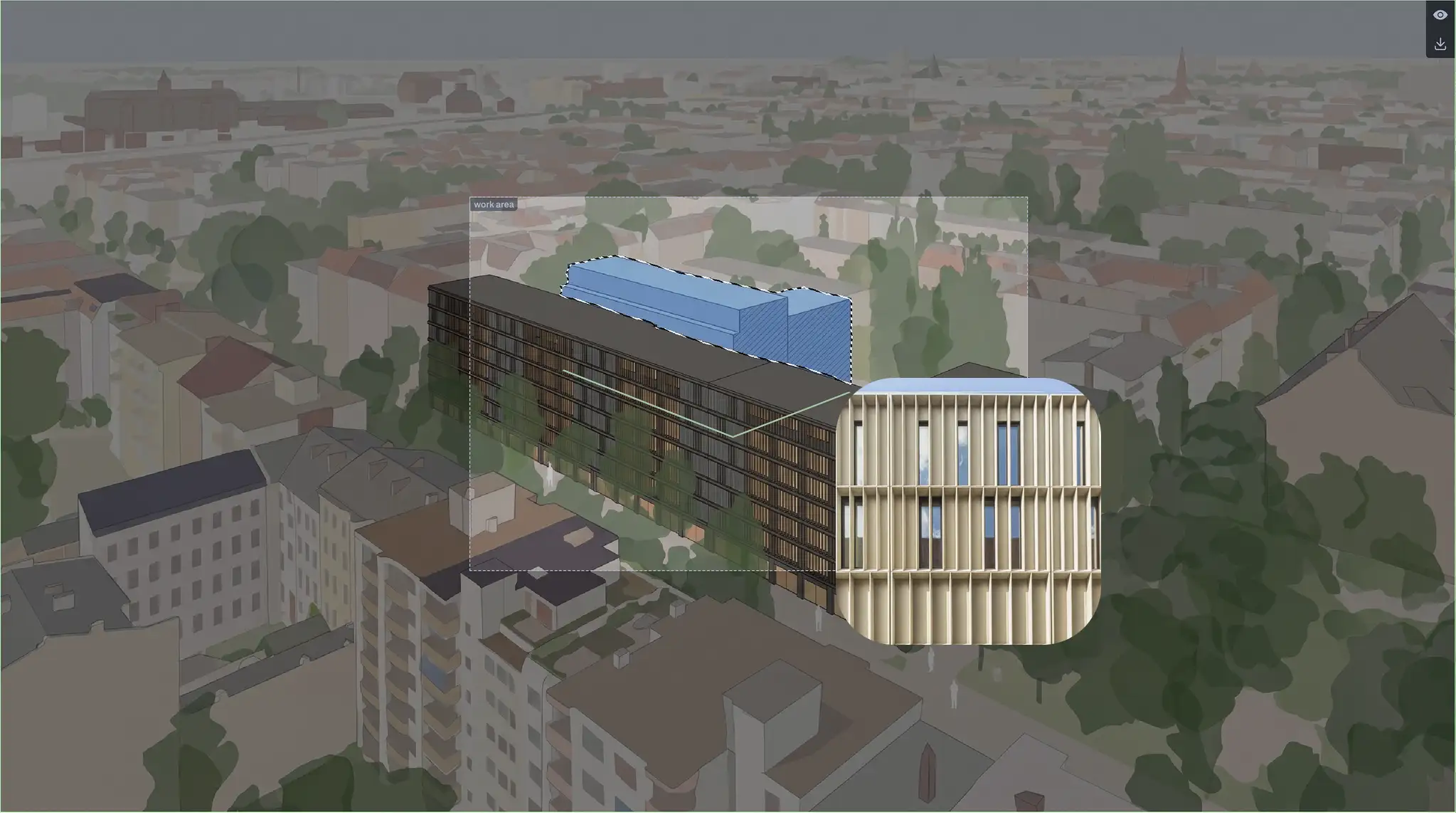
Generate architectural visuals, perspectives, facade directions and presentation-ready images.
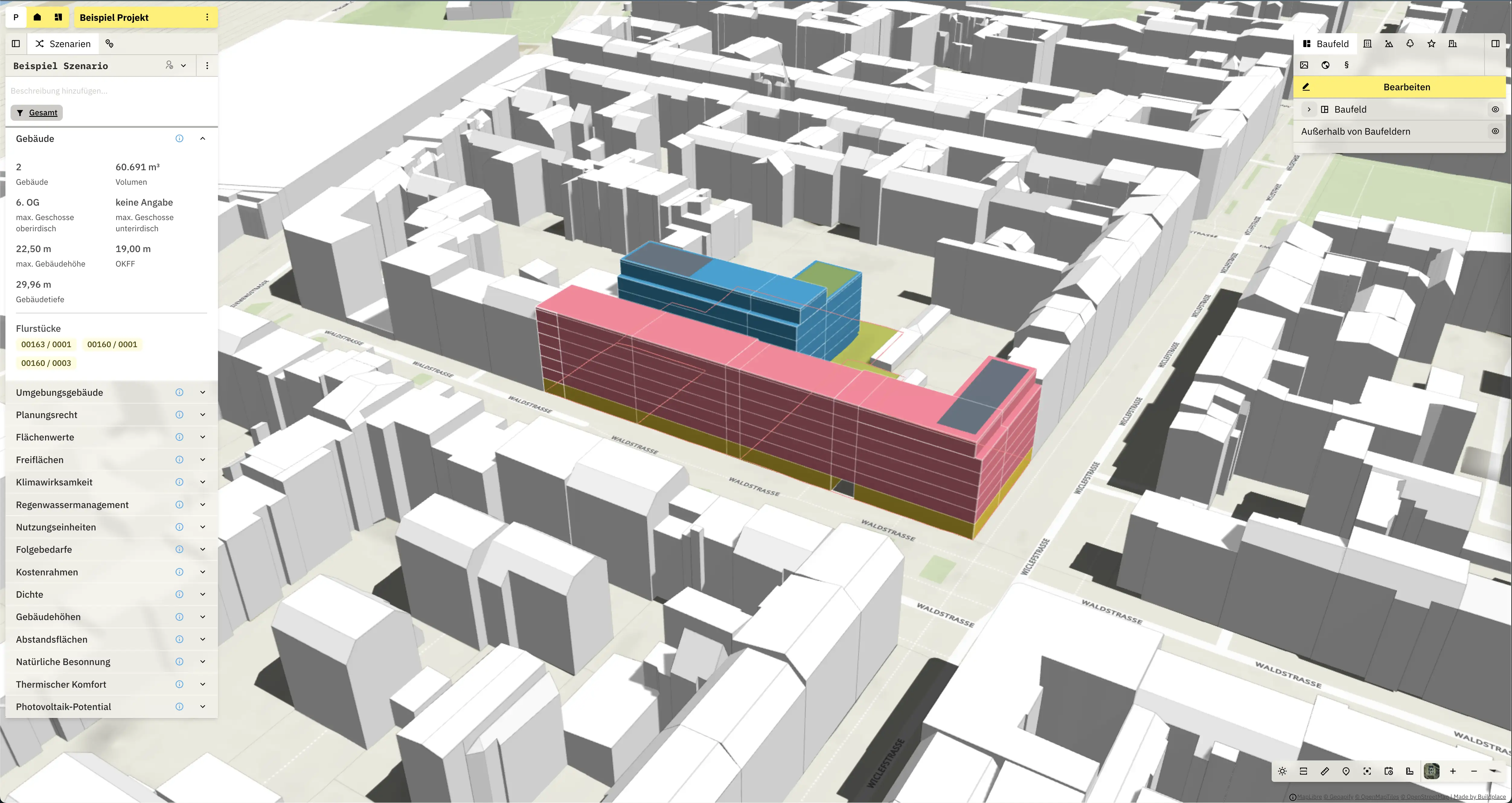
Buildplace provides the data-based spatial scenario and planning logic.
Pelicad keeps the scenario, 3D context and AI outputs connected.
One workflow, two reasons to use it

For project developers, municipalities and planning teams

01

For project developers and portfolio teams

Turn data-based development scenarios into visual decision material.

Use Pelicad to turn Buildplace scenarios into contextual visuals earlier, with real surroundings, multiple views and a clearer story for investors, municipalities and internal decision-makers. This helps you compare alternatives, reduce uncertainty and communicate development potential before detailed planning begins.

Best forAcquisition decisions, investor communication, municipal alignment, internal approvals and early project steering.
02

For municipalities and planning teams

Make spatial scenarios easier to discuss with non-technical stakeholders.

Buildplace helps structure and evaluate planning scenarios with geodata, planning parameters and KPIs. Pelicad adds architectural visuals that make those scenarios easier to understand in workshops, internal alignment and public-facing communication.

Best forUrban development concepts, stakeholder workshops, public participation support, internal alignment and early scenario communication.
Use case

Regensburg with

18,500 m2mixed-use site in Regensburg

The goal was to develop and communicate planning variants for a mixed-use project with housing, social housing, commercial use and local retail under high time pressure.

Pure Gruppe tested the workflow across the partner integrations, including Buildplace. Buildplace supported data-based scenario development and evaluation. Pelicad turned the selected planning scenario into controlled visuals in context, making the variants presentation-ready in one day.

ResultFrom 3 weeks to 1 day
Start from the spatial scenario and planning base in context.
Select areas and references for controlled visual changes.
Create communication-ready images from the same planning base.
Why Pelicad on top of Buildplace?

Buildplace gives you the spatial scenario. Pelicad gives you the architectural visual layer.

Scenario communication is not one static view. The planning logic changes. The audience changes. The required level of visual explanation changes.

  • Multiple perspectives

    Because the scenario sits in a 3D visual scene, you can create several views from the same controlled planning base.

  • Updated communication when the scenario changes

    When the Buildplace scenario changes, update the planning state in Pelicad and keep visual communication aligned with the current version.

  • Architectural context and atmosphere

    Pelicad adds realistic surroundings, facade directions, materiality and atmosphere, so the scenario becomes easier to discuss beyond technical planning teams.

Why not just use generic AI?

Spatial scenarios are not random images

Generic AI tools can create impressive images. But spatial planning scenarios need the right massing, the right site logic and a connection to the planning state.

You also need to create several perspectives from the same scenario and update the visual communication when the planning version changes.

Pelicad keeps the Buildplace planning base, real context and AI visualization connected. That is why it fits the Buildplace workflow.

The visual output remains connected to the planning base and the real site context.
What you can do in Pelicad

Bring your Buildplace scenario into Pelicad and make it visible

+

Upload the planning model

Use the selected scenario from your Buildplace workflow as the controlled planning base.

+

Place it in real context

Place it in a textured 3D environment for site-specific communication.

+

Create visual scenarios

Test facade directions, materials, atmosphere, use scenarios and multiple perspectives.

+

Update the story

Keep visual communication aligned when the planning state changes.

Visual results

What Buildplace + Pelicad can achieve together

Turn data-based spatial scenarios into contextual project visuals, from early site communication to atmospheric perspectives for decisions, acquisition and presentations.
Visualize your next Buildplace scenario in Pelicad

You already have the spatial planning logic. Bring your Buildplace scenario into Pelicad, add the architectural visual layer and create images your audience can decide on.

Visualize your Buildplace scenario