
Most AI rendering comparisons stop at feature lists. I started with a real feasibility study PURE Gruppe ran next to Regensburg's main rail yard and gave both tools the same brief. Because one project cannot represent everything either platform can do, I then compared the wider workflows around ideation, data, editing, model choice and exports.
What xFigura is and what Pelicad is
xFigura is a collaborative 2D canvas for fast architectural ideation across prompts, sketches, moodboards, generated images and lightweight 3D assets. Pelicad is a model-led visualization platform that connects AI rendering to persistent CAD or BIM geometry and real-world site context.
The overlap is architectural image generation, but their center of gravity is different: xFigura starts with ideas and mixed media; Pelicad starts with the project model and carries its constraints into the result.
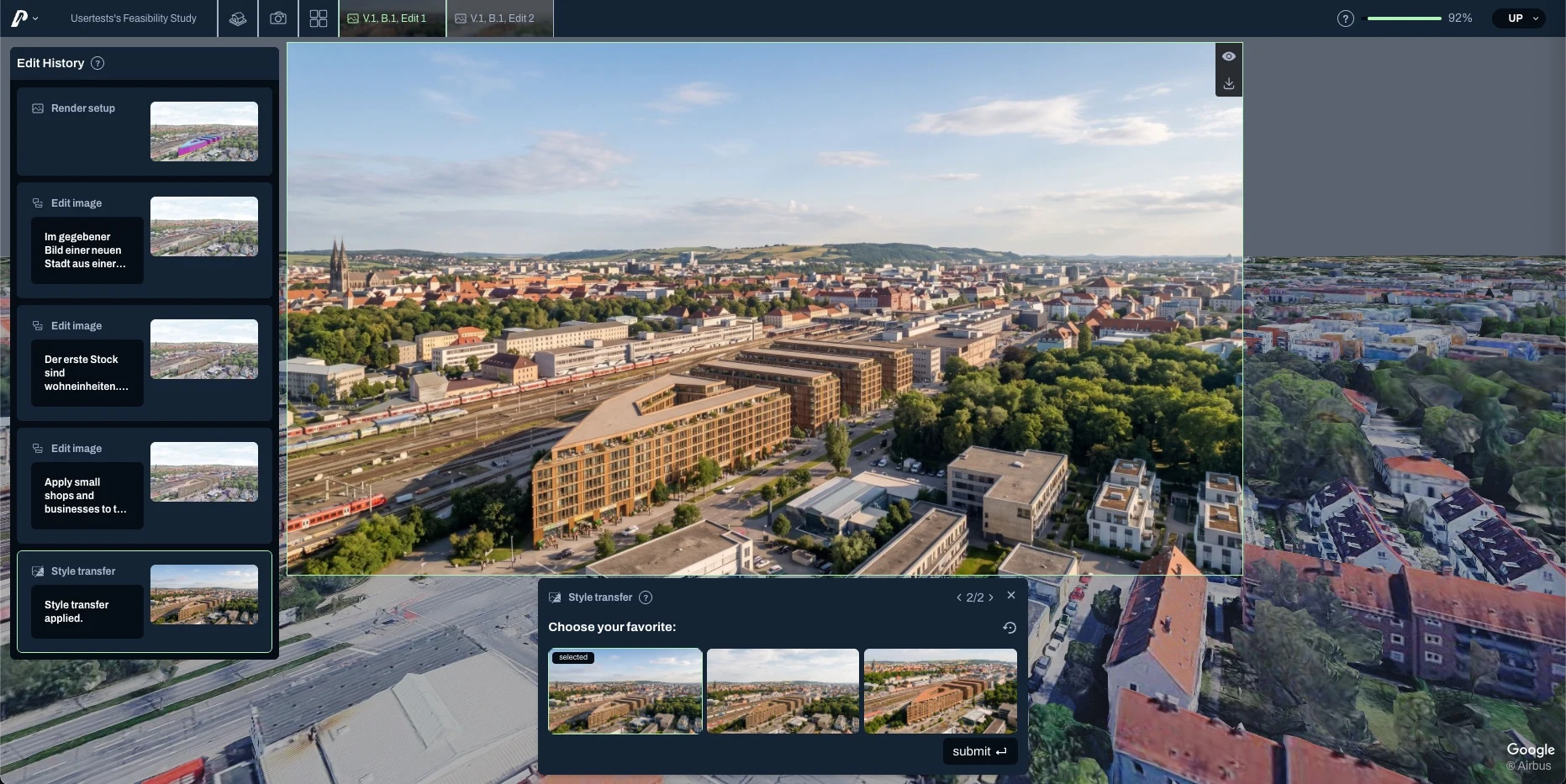
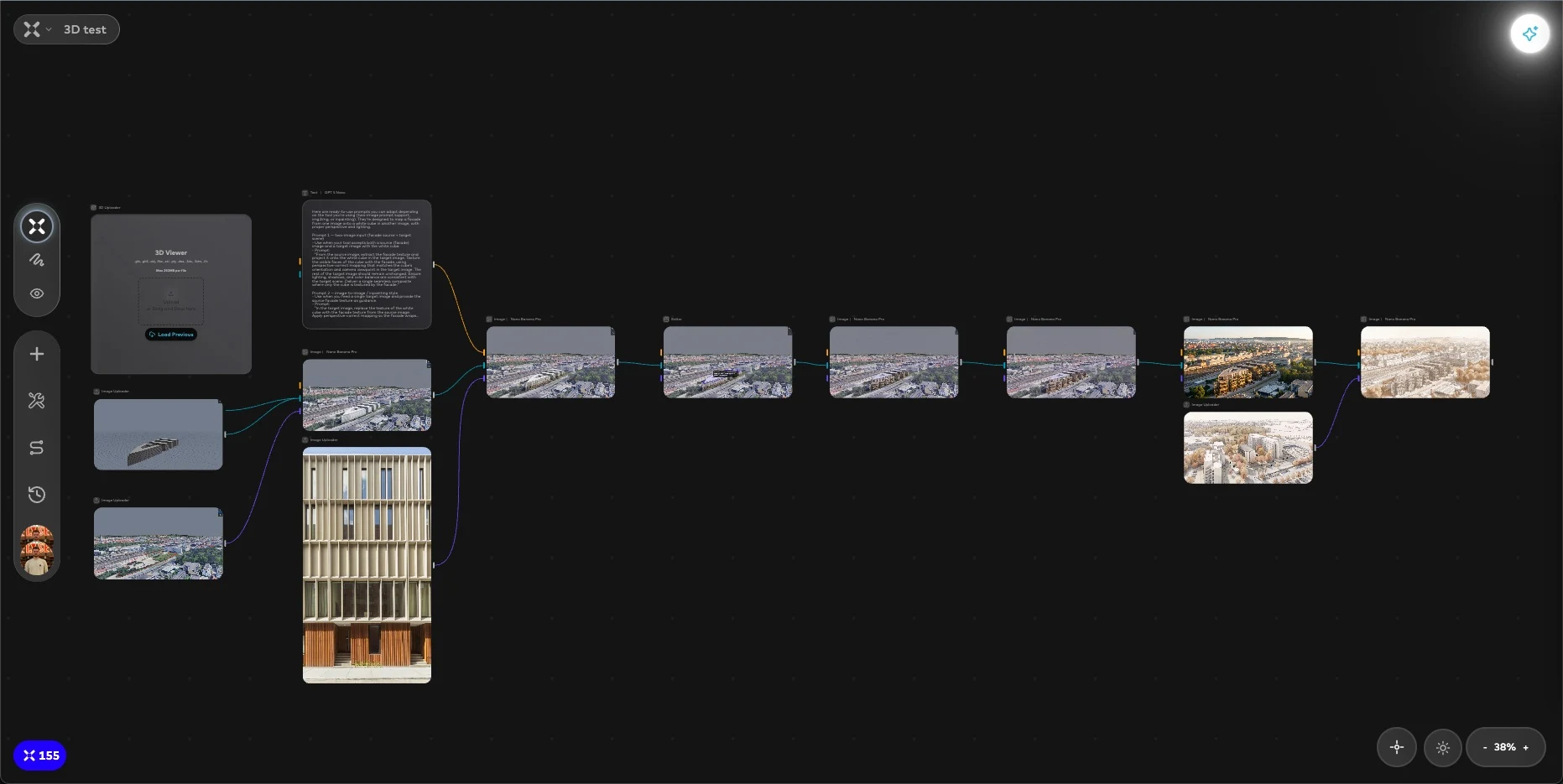
The test: a real feasibility study in Regensburg
The brief mirrors an actual early stage feasibility study PURE Gruppe ran: a rough massing model made of four connected building volumes that needs to become a communicable design concept before any detailed modeling happens. I gave both tools the same five tasks, in the same order.
- 1
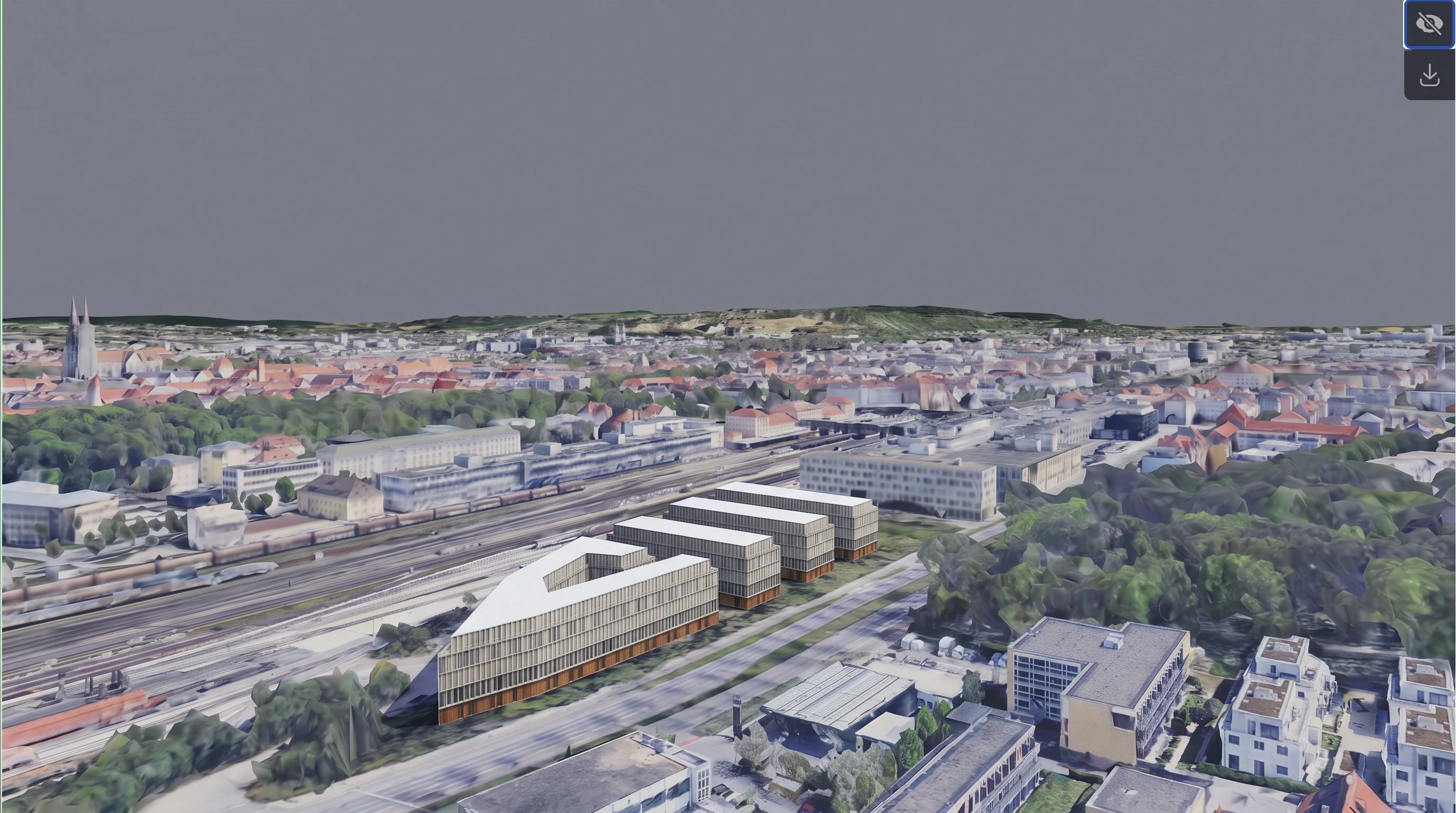
Place the model in its correct position of its urban context.
- 2
Apply a facade from a reference image to the cubes respecting the correct amount of floors and geometry.
- 3
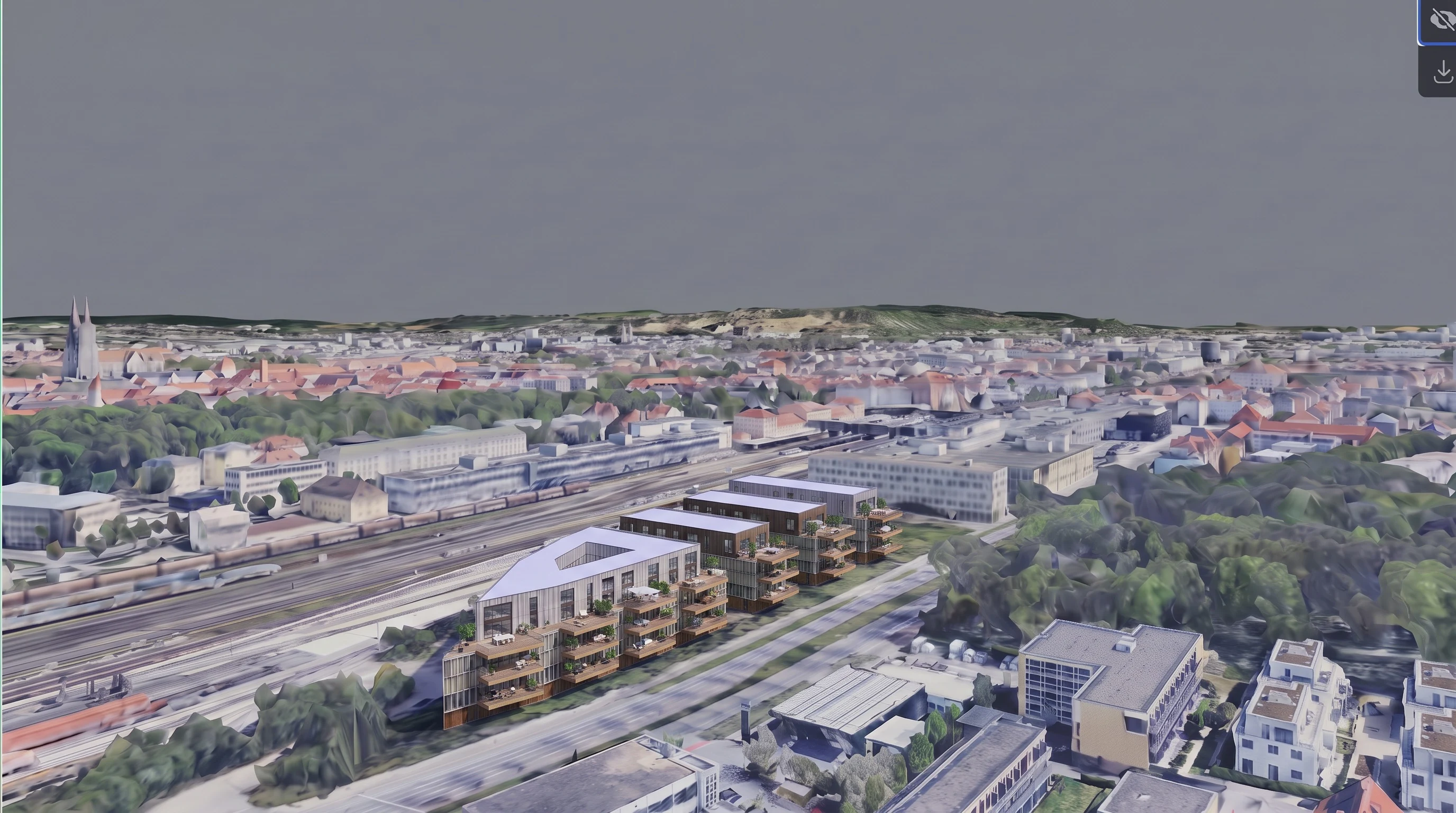
Change the facade concept only on the highest floor of the buildings, keeping the rest of the facade details constant.
- 4
Turn the image into a realistic rendering keeping all details of the architectural concept and its environment.
- 5
Apply a minimalistic architecture concept style to the full image, displaying the newly created architectural concept at the center of the image.
Step by step: what I asked for and what came back
Move through the accepted outputs from both tools. Each card shows the same iteration side by side: Pelicad on the left, xFigura on the right.
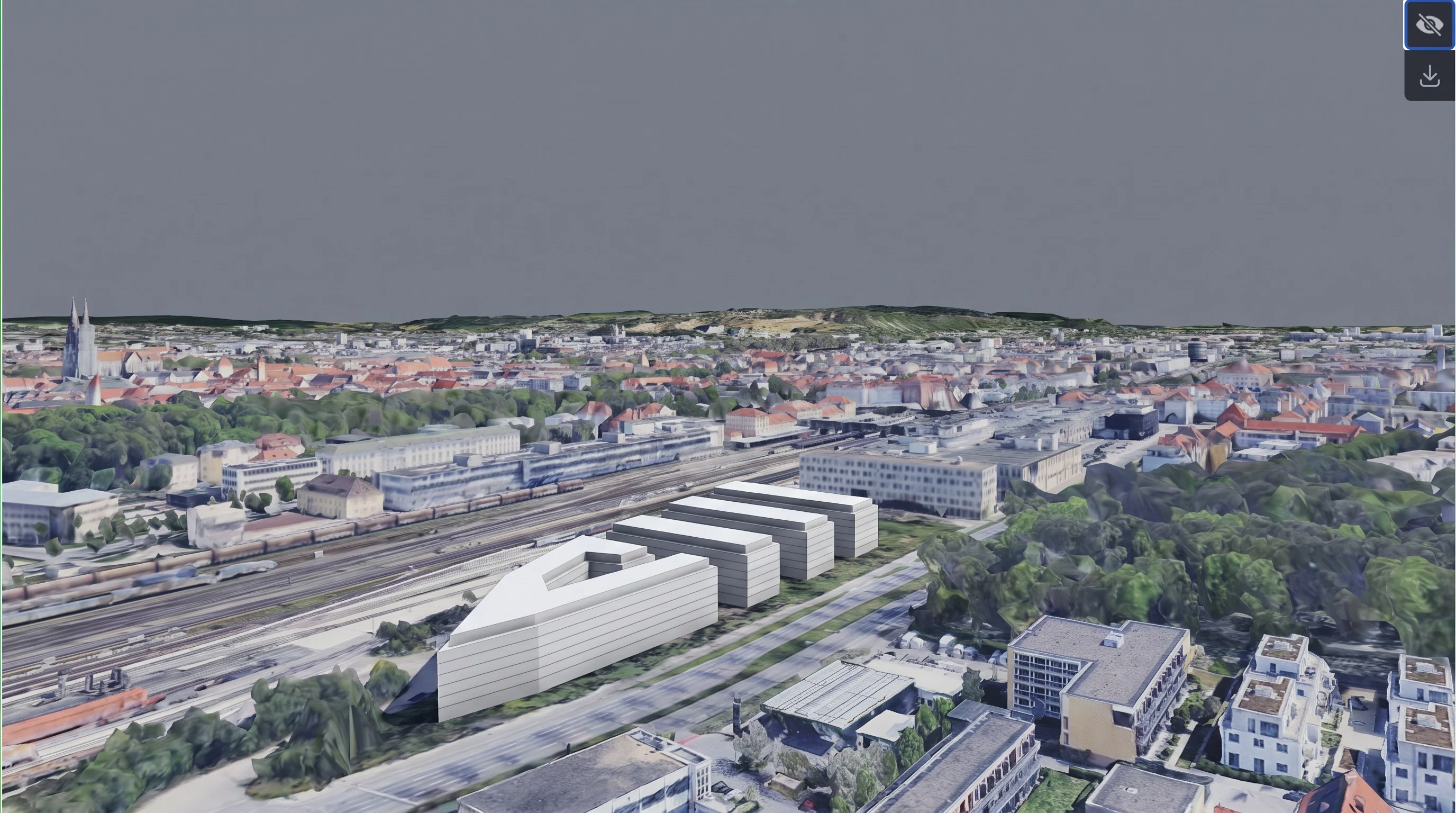
- Materials and geometry retained
- Environment rendered in sketch mode
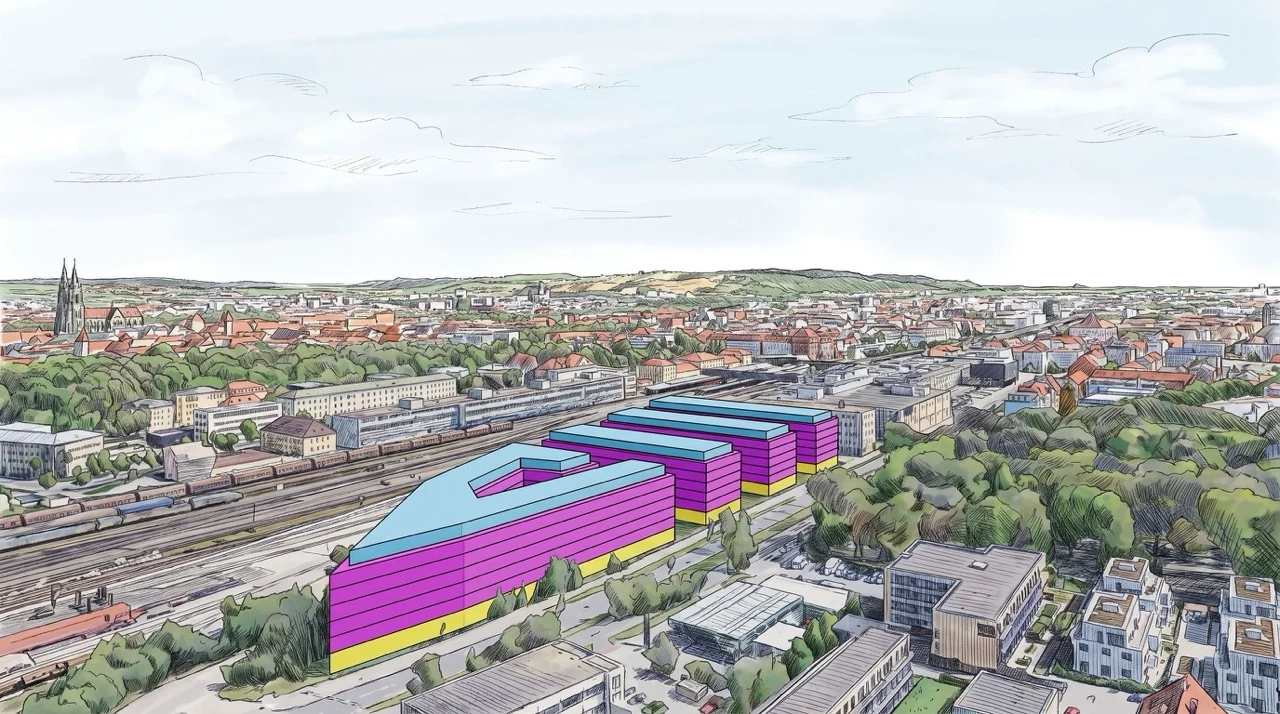
- Masking positioned the model fairly well
- No detailed positioning control






What the test showed
Both tools produced convincing visual directions, but they were fast in different ways. xFigura made it easy to branch, connect references and explore the overall look of the project. Pelicad reduced the effort needed to preserve the site, floor count, massing and previously accepted facade decisions from one iteration to the next.
The distinction became clearest during localized edits. A 2D canvas is flexible, but masks and image selections can make narrowly confined architectural changes more iterative. Pelicad's geometry- and material-based work areas gave the AI less room to reinterpret parts of the project that were meant to stay unchanged.
See the workflow in the tool
Pelicad's 3D guidance allows detailed control, while xFigura focuses on speed.
Beyond the test: platform comparison
The Regensburg study tested one demanding architectural workflow. The platforms become easier to compare fairly when accessibility, data, editing, model choice and exports are considered separately.


Starting takes more structure: a usable 3D file is required and the model, site and edit logic introduce a steeper learning curve. The additional setup becomes valuable when the project needs repeatable, controlled outputs.
Its browser-based canvas is immediately approachable. Teams can drag in sketches, moodboards, images and model views, connect them visually and co-design in real time without committing to a fixed workflow first.
Supports common planning formats including IFC, RVT, SKP, 3DM and DWG, plus Speckle-based updates from major design tools. Textured or untextured environmental data can be added around the live project model.
Mixed 2D and 3D sources can sit together on one board, which is excellent for synthesis and communication. In this test, however, the architectural model became a selected view and the surrounding context had to be assembled as imagery.
Geometry and materials can be selected in the 3D viewport to create confined work areas. The editing palette is more specialized, but element-level guidance improves accuracy and helps protect details that should remain unchanged.
Offers a broad 2D toolkit for inpainting, outpainting, style transfer, upscaling and visual branching. It is fast for large creative moves, while detailed architectural edits can require careful masks, selections and retries because they are not tied to model elements.
Uses a narrower image-editing stack centered on Google's Nano Banana Pro and Nano Banana 2. It also supports simultaneous output generation, but prioritizes guided architectural consistency over giving users a large model catalogue.
Provides the wider model ecosystem across text, image and 3D, including Google and OpenAI families alongside FLUX, SDXL, Magnific and specialist generators such as Tripo. Multiple branches and simultaneous generations fit naturally on the canvas.
Focuses on high-resolution architectural images and controlled visual variants rather than generating new 3D assets. The existing CAD or BIM model remains the source of truth while the rendered output is prepared for clients, juries or planning communication.
Extends beyond still images with image-to-video and image-to-3D workflows, including textured OBJ or GLB assets. Those outputs are useful for early massing, presentations and transferring a concept into another design tool.
xFigura vs. Pelicad pricing
xFigura publishes its pricing openly. Pelicad's tiers are not on its public marketing pages, you see them after creating a free account, but here is what each plan actually includes based on published and account level pricing.
| xFigura | Pelicad | |
|---|---|---|
| Free trial | Free plan, 25 credits/month, no card needed | A handful of free renders to start, no card needed |
| Entry tier | Starter, $20/month, 400 credits, 65 3D generations | Basic, €99/month, 1 user, 180 images/month |
| Growth tier | Pro, $60/month, 1,200 credits, 200 3D generations | Professional, €249/month, 3 users, 550 images/month |
| Team tier | not offered | Team, €499/month, 5 users, 1,300 images/month |
| Enterprise | Custom pricing | Enterprise, €999/month, 10 users, 3,000 images/month |
A quick note on comparing these directly: xFigura prices in US dollars and spends credits across text, image and 3D generation together. Pelicad prices in euros per finished image. The numbers are not a clean one to one conversion, but the table above should get you close enough to judge fit for your budget.
Which one should you use
xFigura showed clear limitations in this test when detailed edits had to remain tied to geometry and when the project needed to sit accurately inside its real environment. But those limitations should not obscure what the platform does exceptionally well. Its accessible canvas, broad model selection and direct handling of moodboards, sketches and generated media make first design ideas much faster to create, connect and communicate. For co-design sessions with clients or colleagues, that openness is a substantial advantage.
Pelicad is less immediate because it requires a real 3D project and asks the user to understand a more guided workflow. That investment pays off once a direction has to become dependable: the model, site, materials and selected elements continue to constrain each new image. For feasibility studies, design development and presentation views that must stay faithful to the project, Pelicad was the stronger tool in this comparison.
The balanced choice is therefore not “creative” or “professional.” It is about project state. Use xFigura to expand the field of possibilities; use Pelicad to develop and communicate a chosen architectural direction with greater spatial control.
Short takeaway:
- xFigura is the more accessible space for early ideas, moodboards, multimodal generation and live co-design.
- Pelicad is the more controlled environment for site-accurate visualization and edits tied to real CAD or BIM elements.
- xFigura can generate image, video and 3D assets; Pelicad concentrates on reliable high-resolution architectural images.
- In this feasibility study, Pelicad became the stronger tool as soon as geometry, context and confined edits mattered more than exploration speed.
Sources: xFigura, xFigura product context, xFigura pricing, Pelicad, Pelicad: How It Works, Pelicad for Architects, Pelicad internal product and pricing documentation, and the in-house comparison files used in this test.